



文章最后更新时间:
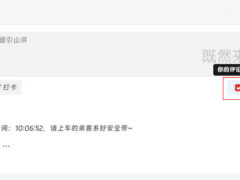
给你的网站添加一个私密评论功能,该教程几乎适配99%的WordPress主题,这里以子比主题为例。文章源自墨非网-https://www.qkym.xyz/2356.html
![图片[1]-子比主题添加私密评论功能-墨非网](http://www.qkym.xyz/wp-content/uploads/2024/01/13f68e3173c6ba44d779.jpg) 文章源自墨非网-https://www.qkym.xyz/2356.html
文章源自墨非网-https://www.qkym.xyz/2356.html
教程如下
打开子比主题的 functions.php 文件,在最后一个 ?> 的前面添加以下代码:文章源自墨非网-https://www.qkym.xyz/2356.html
//私密评论
function liao_private_message_hook( $comment_content , $comment){
    $comment_ID = $comment->comment_ID;
    $parent_ID = $comment->comment_parent;
    $parent_email = get_comment_author_email($parent_ID);
    $is_private = get_comment_meta($comment_ID,'_private',true);
    $email = $comment->comment_author_email;
    $current_commenter = wp_get_current_commenter();
    if ( $is_private ) $comment_content = '#私密# ' . $comment_content;
    if ( $current_commenter['comment_author_email'] == $email || $parent_email == $current_commenter['comment_author_email'] || current_user_can('delete_user') ) return $comment_content;
    if ( $is_private ) return '<span style="color:#A6A6A6"><i class="fa fa-lock fa-fw"></i>该评论为私密评论</span>';
    return $comment_content;
}
add_filter('get_comment_text','liao_private_message_hook',10,2);
function liao_mark_private_message( $comment_id ){
    if ( $_POST['is-private'] ) {
        update_comment_meta($comment_id,'_private','true');
    }
}
add_action('comment_post', 'liao_mark_private_message');
打开子比主题的 comments.php 文件,搜索提交评论,在其上方添加下方代码之后保存即可。(如图)文章源自墨非网-https://www.qkym.xyz/2356.html
![图片[2]-子比主题添加私密评论功能-墨非网](http://www.qkym.xyz/wp-content/uploads/2024/08/b55ab-a46a72a5e3009cd19ee5025cfc572183.png)
文件路径:/wp-content/themes/zibll/template/comments.php文章源自墨非网-https://www.qkym.xyz/2356.html
 <label class="but c-blue pw-1em" data-placement="top" data-toggle="tooltip" title="" style="margin-bottom: 0px; overflow: hidden; position: relative;" data-original-title="你的评论仅评论双方可见。">
  <input name="is-private" type="checkbox">私密评论</label>
文章源自墨非网-https://www.qkym.xyz/2356.html


















 子比主题美化
 精品源码资源






暂无评论内容